-
cordova android@12 빌드 (sdk 33)mobile 2024. 4. 10. 10:45
2024년 4월 현재 기준 안드로이드 앱을 배포하려면 sdk33을 준수해야 한다.
계속 사용해오던 기존의 cordova세팅으로는 빌드에러가 계속 나서 이를 해결하기 위해 알아본 내용을 정리한다.

cordova에 android플랫폼을 추가하려면 다음 내용을 참고해야 한다.
https://cordova.apache.org/docs/en/latest/guide/platforms/android/index.html
Android Platform Guide - Apache Cordova
Android Platform Guide This guide will assist you in setting up your development environment for building Cordova apps on Android devices. Additionally, it provides the option to incorporate Android-specific command-line tools into your development workflo
cordova.apache.org
특이사항은 다음과 같다.
1. jdk 11로 설치
-이때 여러가지 환경변수가 적용되어야 하는데, 위 링크에 보면 나와있다.
예를 들어 아래 내용이 path에 들어가야 한다.
C:\Users\[your user]\AppData\Local\Android\Sdk\platform-tools
C:\Users\[your user]\AppData\Local\Android\Sdk\cmdline-tools\latest\bin
C:\Users\[your user]\AppData\Local\Android\Sdk\build-tools
C:\Users\[your user]\AppData\Local\Android\Sdk\emulator
2. config.xml 다음 내용 적용
<platform name="android">
    <preference name="android-minSdkVersion" value="26" />
    <preference name="android-buildToolsVersion" value="33.0.2" />
    <preference name="android-targetSdkVersion" value="33" />
    <preference name="android-compileSdkVersion" value="33" />
    ...생략
</platform>
그리고 <platform name="android">내에 다음과 같이 <splash>로 시작하는 내용이 있다면 삭제
<splash density="land-ldpi" src="res/screen/android/splash-land-ldpi.png" />
<splash density="port-ldpi" src="res/screen/android/splash-port-ldpi.png" />
<splash density="land-mdpi" src="res/screen/android/splash-land-mdpi.png" />
<splash density="port-mdpi" src="res/screen/android/splash-port-mdpi.png" />
<splash density="land-hdpi" src="res/screen/android/splash-land-hdpi.png" />
<splash density="port-hdpi" src="res/screen/android/splash-port-hdpi.png" />
<splash density="land-xhdpi" src="res/screen/android/splash-land-xhdpi.png" />
<splash density="port-xhdpi" src="res/screen/android/splash-port-xhdpi.png" />
<splash density="land-xxhdpi" src="res/screen/android/splash-land-xxhdpi.png" />
<splash density="port-xxhdpi" src="res/screen/android/splash-port-xxhdpi.png" />
<splash density="land-xxxhdpi" src="res/screen/android/splash-land-xxxhdpi.png" />
<splash density="port-xxxhdpi" src="res/screen/android/splash-port-xxxhdpi.png" />
3. android 추가할때 아래와 같이 할 것
cordova platform add android@12.0.04. cordova android 12 부터는 splash를 다른 방법으로 대체해야함
https://cordova.apache.org/docs/en/latest/core/features/splashscreen/index.html
Splash Screen - Apache Cordova
Splash Screen This core feature gives the ability to configure and control the platform's splash screen while your web application is launching. Supported Platforms For other platforms, check the cordova-plugin-splashscreen for support. Platform Splash Scr
cordova.apache.org
대체하지 않고서는 아래와 같은 경고가 나온다.

이를 해결하기 위해 아래와 같이 해야 한다.
1) config.xml에 다음 구문 넣음
<preference name="AndroidWindowSplashScreenAnimatedIcon" value="res/screen/android/splashscreen.xml" />
2) 여기서 splashscreen.xml이 없는 경우
아래 폴더 안의 이미지를 선택해서 지정
res\screen\android\
3) 구문 변경
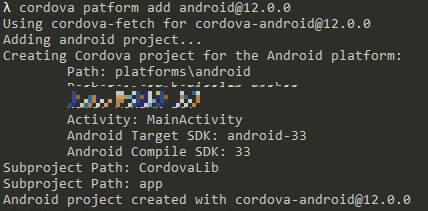
<preference name="AndroidWindowSplashScreenAnimatedIcon" value="res/screen/android/splash-port-xxxhdpi.png" />그 이후 다시 cordova 플랫폼에 안드로이드를 추가하면 아래와 같이 경고메시지가 나타나지 않는다.
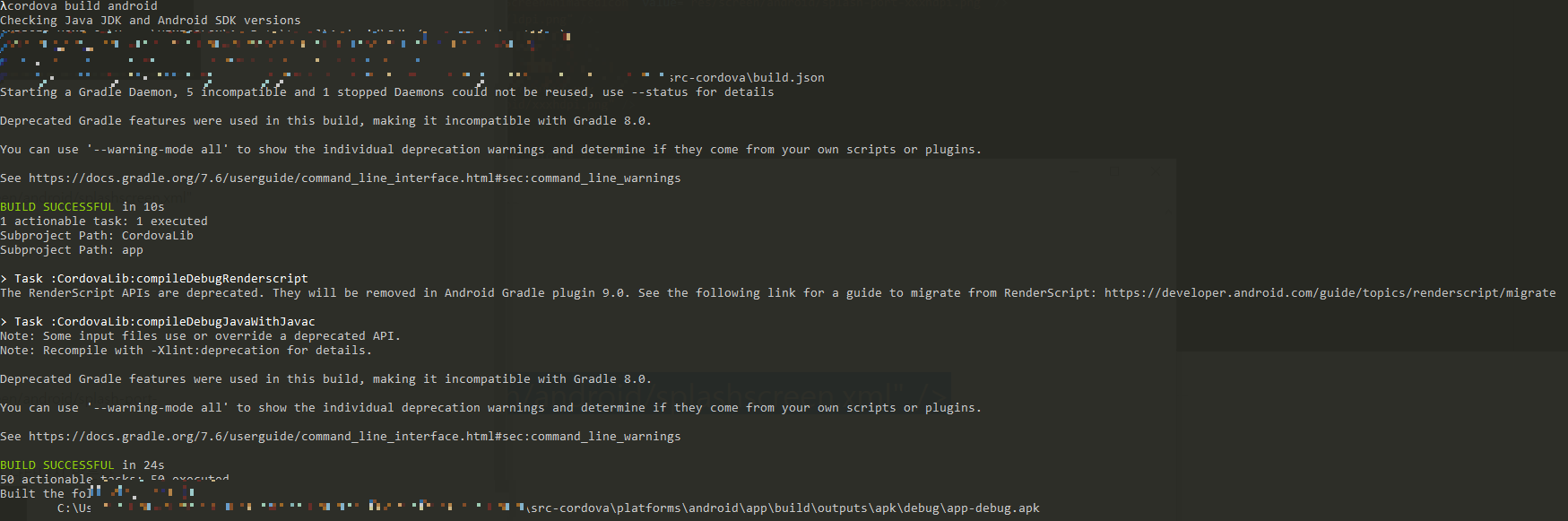
이후 빌드하면 아래와 같이 에러가 없다.
'mobile' 카테고리의 다른 글
Cordova에서 release시 https 접속이 안될때 (0) 2023.01.31 cordva android release apk에서 FCM 안될 때 (0) 2022.11.21