-
ESP-IDF 윈도우즈 설치DEVICE 2023. 10. 12. 01:10
VSCODE에 확장패키지를 결합하여 사용하던 중 원인모를 업데이트와 함께 컴파일이 되지 않았다.
몇가지 버전을 재 설치해도 되지 않아 ESP-IDF로 되돌아가 설치한다.
https://docs.espressif.com/projects/esp-idf/en/latest/esp32/get-started/windows-setup.html
Standard Setup of Toolchain for Windows - ESP32 - — ESP-IDF Programming Guide latest documentation
After opening a new project, you should first set the target with idf.py set-target esp32. Note that existing builds and configurations in the project, if any, are cleared and initialized in this process. The target may be saved in the environment variable
docs.espressif.com
https://dl.espressif.com/dl/esp-idf/?idf=4.4
https://dl.espressif.com/dl/esp-idf/?idf=4.4
Release version Release date Release notes
dl.espressif.com
맨 위의 Universal Oline Installer 설치
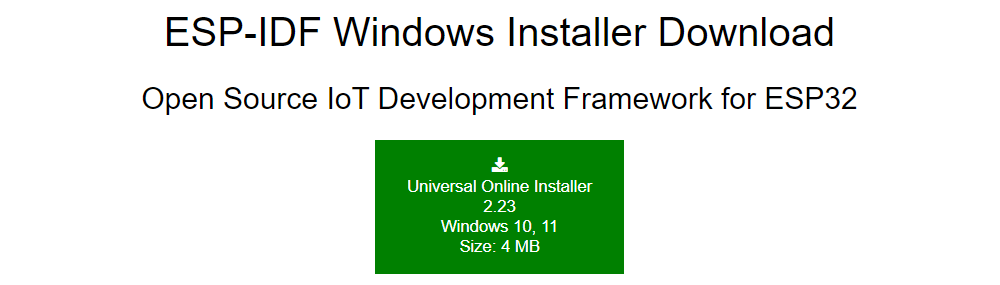
이후, 모든것은 기본으로 설치한다.
파워쉘과 CMD를 사용하는 방법이 있는데 CMD를 사용해보겠다.
C:/Espressif의 하위폴더를 보면 examples가 있다. 적당한 예시나 기본 프로젝트를 복사해온 후
해당 폴더에서 진행한다.
타겟 설정
idf.py set-target esp32
기본으로 ESP32로 되어있었다.
기본 설정
idf.py menuconfig
Component config > ESP System Settings 에서 240Mhz 체크

환경설정
보드 용량에 맞는 환경설정
CONFIG_ESPTOOLPY_FLASHSIZE_4MB=y
# CONFIG_ESPTOOLPY_FLASHSIZE_8MB is not set
CONFIG_ESPTOOLPY_FLASHSIZE="4MB"호환성문제
CONFIG_SPI_FLASH_USE_LEGACY_IMPL=y
빌드
idf.py build최초 1000개가 넘는 파일을 컴파일하는데 오래걸린다.
플래시
idf.py -p COM1 flash
옵션
idf.py -p PORT [-b BAUD] flash
idf.py flash monitor
idf.py flash'DEVICE' 카테고리의 다른 글
ESP32 IDF환경에서 JSON활성화시키기 (0) 2023.11.02 ESP32 Flash Download Tools (0) 2023.10.13 STM32 TIMER PWM NEGATIVE 동작 안할때 (0) 2023.02.24 STM32F0에서 IWDG가 작동하지 않을때 (0) 2023.01.16 WINDOWS에서 ESP-IDF 사용하기 VSCODE (0) 2023.01.14